
The starting problem
Equipment signals were spread across different device systems. Checking the overall condition meant gathering those pieces together and working out whether each reading was still current.
INTERNAL PROJECT · FACILITY MONITORING
An inside look at the integration and interface work behind our automation lab—and where the same engineering can help an operations team.
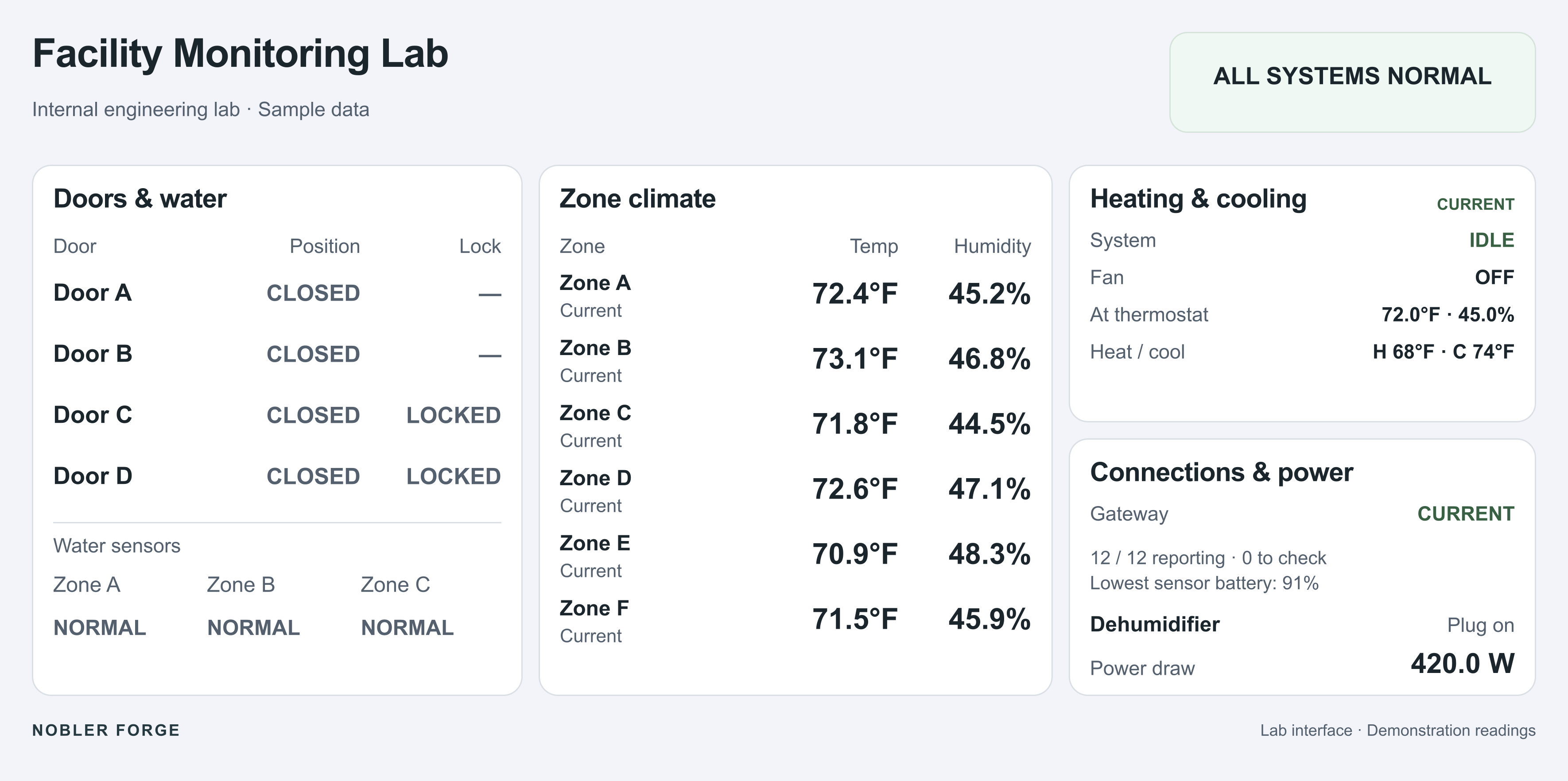
Equipment signals were spread across different device systems. Checking the overall condition meant gathering those pieces together and working out whether each reading was still current.
Integrations that bring physical sensor data into a shared state model, with an operator interface for current conditions, alarms, history, and connection health.
A common view of the monitored environment, with clear distinctions between a reported condition, a missing signal, and a reading that is current. The views adapt to different displays.
01 / THE ENGINEERING
Developed in a residential testbed with real sensors, the lab connects environmental readings, door contacts, water detection, HVAC information, and measured power. The underlying work is bringing different sources into a consistent operational model.
The application includes an overview, a compact panel, history and diagnostics, and an unattended display. Historical records and alarms remain tied to physical inputs; a separate session-local test mode exercises the interface.
Environmental readings
Contact and equipment state
Protocol bridges
MQTT and state mapping
Perspective views
Alarms and history
This is Nobler Forge’s internal development work. The public images use sample data and are not connected to equipment.
02 / READING THE SYSTEM
When a source stops reporting, its last number should stop looking current. The affected zone and the connection summary make the gap visible.
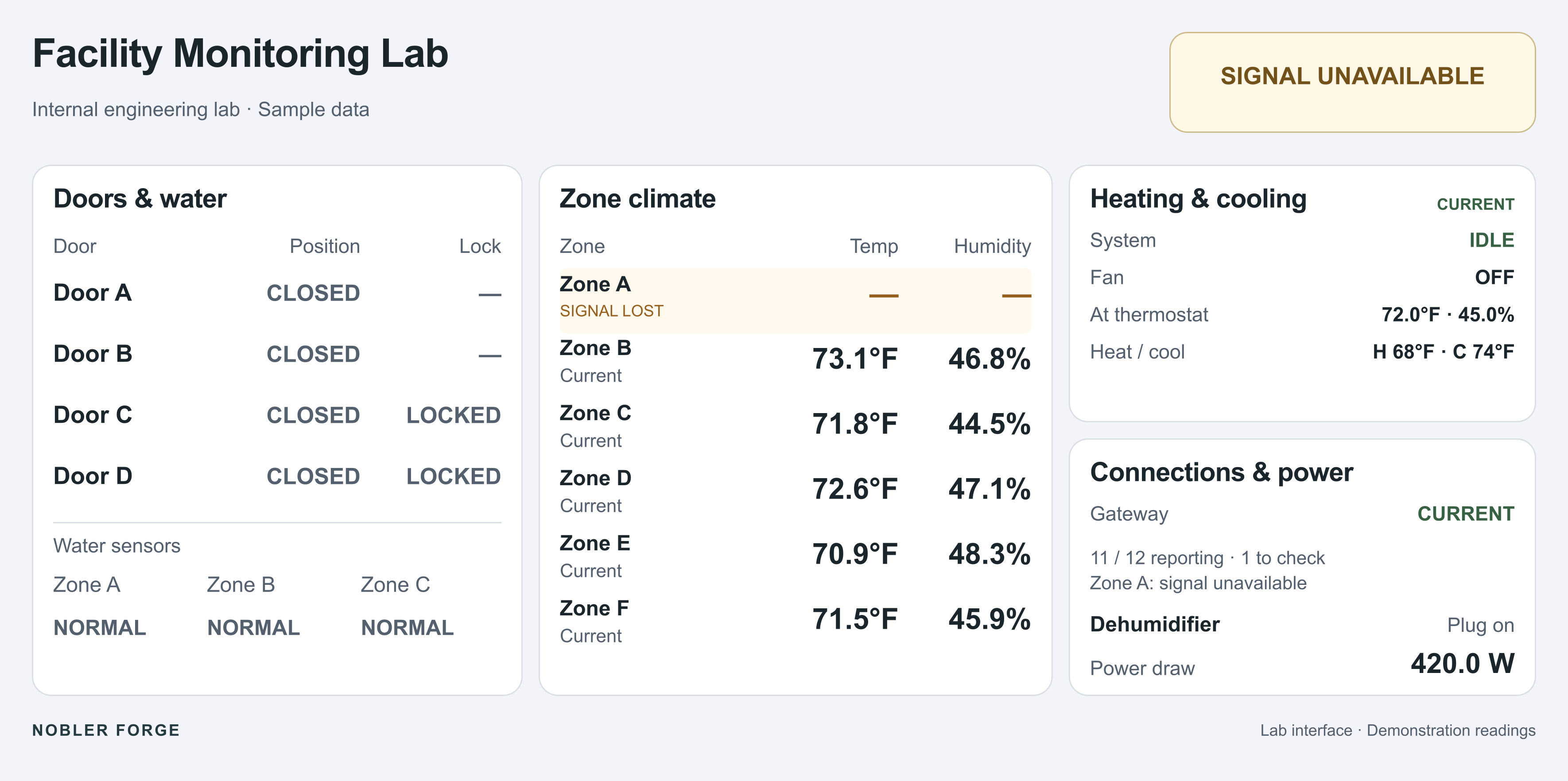
The operational question: can the person using the screen distinguish “everything is normal” from “we no longer know”?
03 / DIFFERENT DISPLAYS
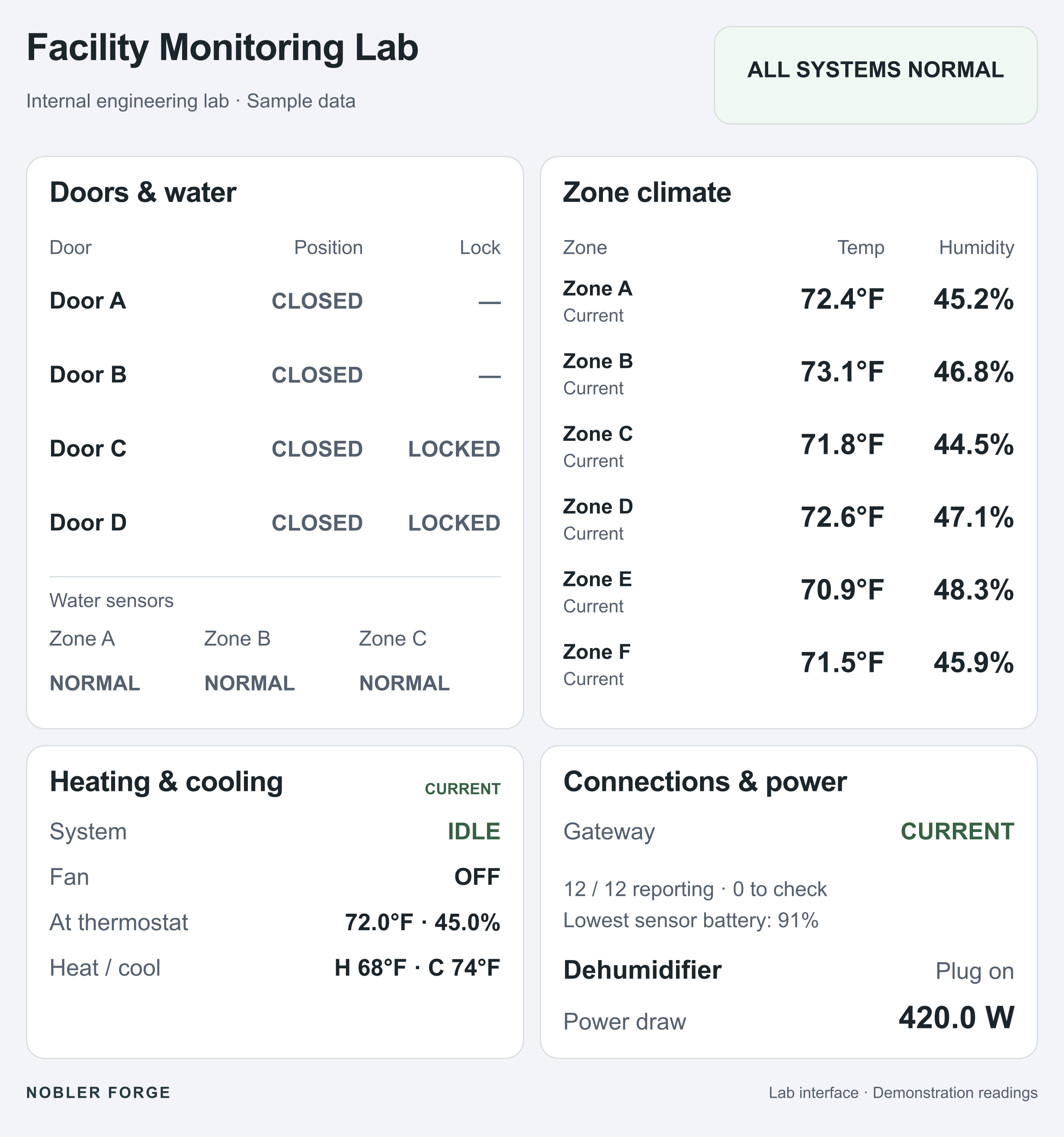
The landscape view puts the main groups alongside each other. The portrait view rearranges them into two rows while preserving the readings and status labels.
This lets the interface suit the place where it is used: a workstation, a tablet during a walkthrough, or a wall display. The lab also has phone layouts.
04 / IMPLEMENTED & CHECKED
The lab’s application checks cover state handling, session isolation, and consistent behavior across views.
STATE & DATA QUALITY
All 32 combinations of five test flags passed the expected device and overall-state checks. Six additional checks verified that faults in the physical-state model retained priority during a presentation test.
TEST ISOLATION
Session-local scenarios change the presentation values. Controller checks covered session isolation, reset, invalid inputs, and closing the controls. Historical records and alarm definitions remain tied to physical data.
APPLICATION BEHAVIOR
Browser checks exercised scenario persistence across the overview, panel, and history views, stale readings displayed as dashes, and reset to live presentation. Layouts were checked at desktop, phone, and tablet viewport sizes.
What these checks establish: application and presentation behavior in the internal lab. Sensor ingestion, historian writes, and notification delivery require their own integration checks. Browser viewport checks do not establish physical-device touch behavior.
05 / FROM LAB TO CUSTOMER WORK
The commercial offer is project-based engineering: an agreed integration, application, or report, delivered and checked against the customer’s system.
The wider controls project needs operator screens, navigation, data bindings, and agreed failure-state behavior.
Ignition developmentRelevant equipment signals need a common view, consistent names and units, and a clear indication of stale data.
Equipment-data integrationCurrent conditions need to be examined alongside available history, with traceable sources and visible gaps.
History & reportingThese are applications of the engineering shown here. Scope, acceptance criteria, and any business benefit must be established for the customer’s environment.
APPLY THIS TO YOUR SYSTEM
Bring us the interface, integration, or reporting problem you need to solve.
Discuss a project